
QA Cards1.2 - App Store
You'll be able to see results in few seconds.
Publisher Description
Main Original Features
QA Cards is a highly designed memorization card program.
Things you can do through this application
An easy to follow navigation system to help you divide the cards into a way best suited for your understanding. JP PAT.P)
Screening Function
Ex You can review. Only the cards studied the previous day will be shown.
Ex Focus Studying Only the cards that are most often answered wrong will be shown.
Ex Review Only the cards that have not been used for over 2 weeks will be shown.
Rearrange
Ex In order of weakest understanding
Ex In order of oldest review
Ex In order of least studied
Adjust Slideshow Speed
Ex Speed Reading Training You are able to practice speed reading while studying.
Sending and Receiving
Ex You are able to exchange data without even connecting to the internet.
Save Time Studied The date, time, and progress made in your studying will be automatically noted on your calendar.
The amount of characters that can be shown on each card is large.
For Starters
Original Functions
Saving Card Data
The date the card was last accessed can be seen. How long it took you to go through the deck and how much you have progressed can also be seen.
The amount of times a card has been accessed can be seen. You can see how many times you have used it so it is easy to see your weak points.
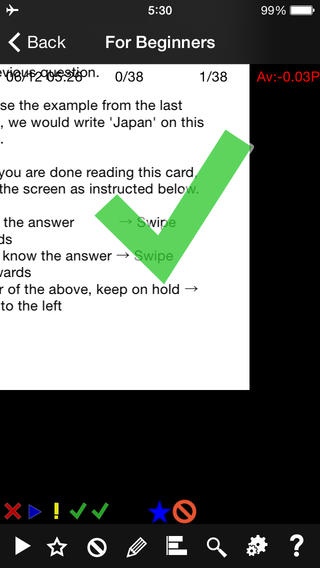
Answer [Correct], [Incorrect] or [Neither] by dragging the screen up, down or left. This is how the card is rated. There is a navigation tool in these cards so it is easy to understand.
The Understanding Level is determined for each card and displayed. Correct P Incorrect P Neither
P After going through the entire deck, you can have only the cards you answered incorrectly shown using the screening tool.
Your rating for the last 5 times will be kept on record. You can see progress very quickly.
Cards that are no longer needed can be cut out using the screening function.
Slideshow
Convenient for when you only have the use of one hand.
You can practice your speed reading at the same time by increasing the display speed.
The speed in which the cards are cicled can be changed. They will be displayed at intervals of characters read in a minute. In this way, you are able to study and practice speed reading at the same time.
For example, top level speed readers aim for 1500 characters per minute.
Basic Functions
Just like actual flash cards, The question is on the front of the card, and on the back, the answer. Tapping the question will flip the card and display the answer.
The amount of space that can be used on the card is very wide. All decorations have been removed to make a simple design. Because of that, a lot can be written on the card.
Search by Keyword
Change Font Size
Marker Function
Requires iOS 6.0 or later. Compatible with iPhone, iPad, and iPod touch.
About QA Cards
The company that develops QA Cards is AOZORA KYOZAI, K.K.. The latest version released by its developer is 1.2.
To install QA Cards on your iOS device, just click the green Continue To App button above to start the installation process. The app is listed on our website since 2014-06-22 and was downloaded 0 times. We have already checked if the download link is safe, however for your own protection we recommend that you scan the downloaded app with your antivirus. Your antivirus may detect the QA Cards as malware if the download link is broken.
How to install QA Cards on your iOS device:
- Click on the Continue To App button on our website. This will redirect you to the App Store.
- Once the QA Cards is shown in the iTunes listing of your iOS device, you can start its download and installation. Tap on the GET button to the right of the app to start downloading it.
- If you are not logged-in the iOS appstore app, you'll be prompted for your your Apple ID and/or password.
- After QA Cards is downloaded, you'll see an INSTALL button to the right. Tap on it to start the actual installation of the iOS app.
- Once installation is finished you can tap on the OPEN button to start it. Its icon will also be added to your device home screen.
Program Details
System requirements
Download information
Pricing
Version History
version 1.2
posted on 2014-06-22
Disclaimer
Official App Store Link
We do not host QA Cards on our servers. We did not scan it for viruses, adware, spyware or other type of malware. This app is hosted by Apple and passed their terms and conditions to be listed there. We recommend caution when installing it.
The App Store link for QA Cards is provided to you by apps112.com without any warranties, representations or guarantees of any kind, so access it at your own risk.
If you have questions regarding this particular app contact the publisher directly. For questions about the functionalities of apps112.com contact us.
